
Month end, without the spreadsheet.
Deoba adds up your team's hours, shows which company invoices which work and prepares the invoices, and you see each company's limit in time. For IT and design agencies and freelancers working through several companies in Serbia.
All in one place: time tracking, invoices and SEF, payments, limits and the KPO book.
Free during the beta. Sign up with email, Google or GitHub.
Allocate time
Acme GmbH, October 2026
| Company | Hours | Amount | Limit after invoice |
|---|---|---|---|
| Studio Nova Flat-rate | 38 h | 1,900 EUR | 95 % |
| Atelje Nova Flat-rate | 46 h | 2,300 EUR | 61 % |
| Nova Digital d.o.o. VAT payer, no limit | 58 h | 2,900 EUR | No limit |
142 h, 7,100 EUR nothing left unallocated
Create 3 draft invoicesMonth end, day by day.
Your team works all month; the month end comes down to the last three days. And it's the same every time.
-
1st to 28th
The team tracks time
With the timer or by hand. The calendar shows everyone the days without tracked time.
-
29th
Allocation
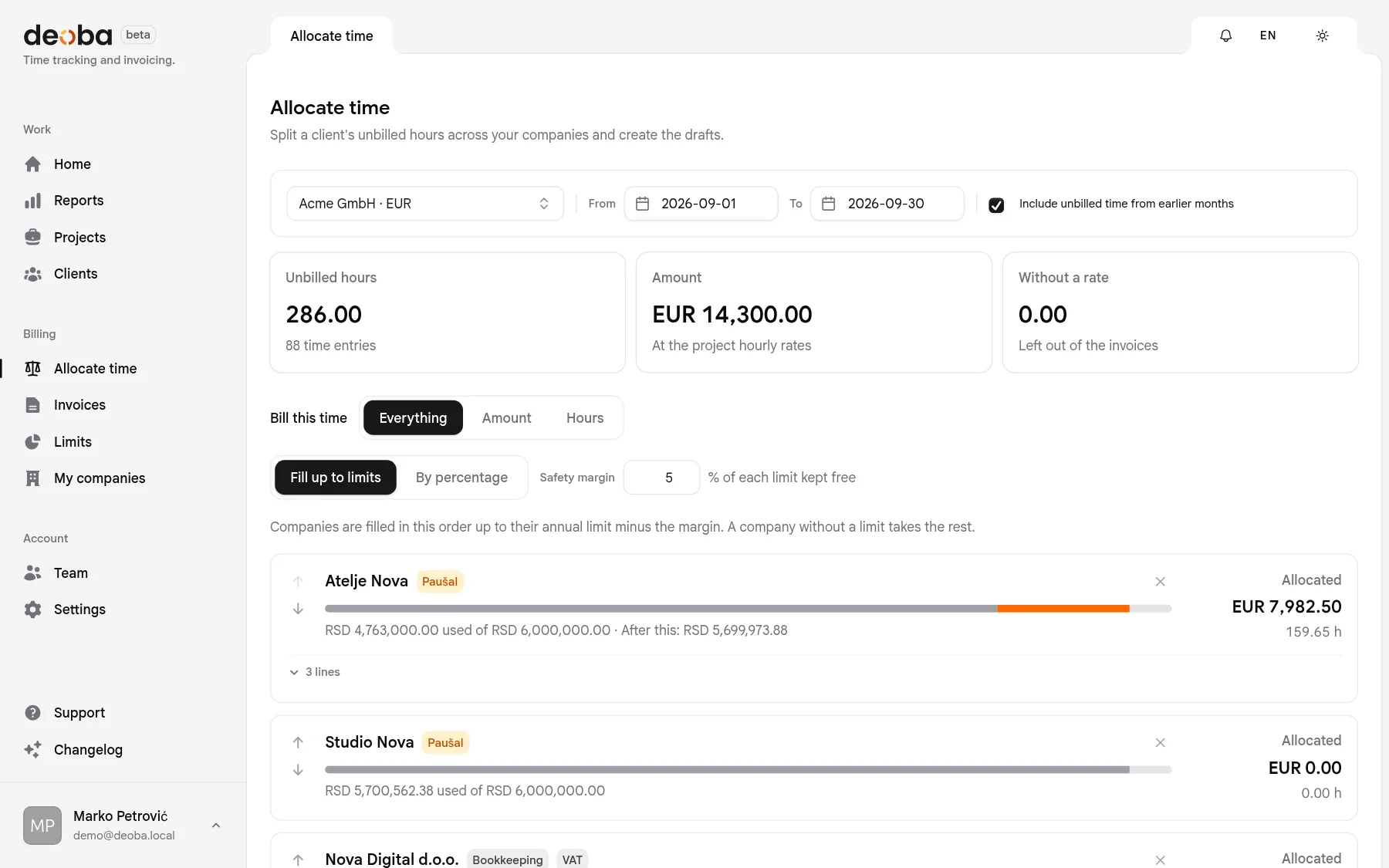
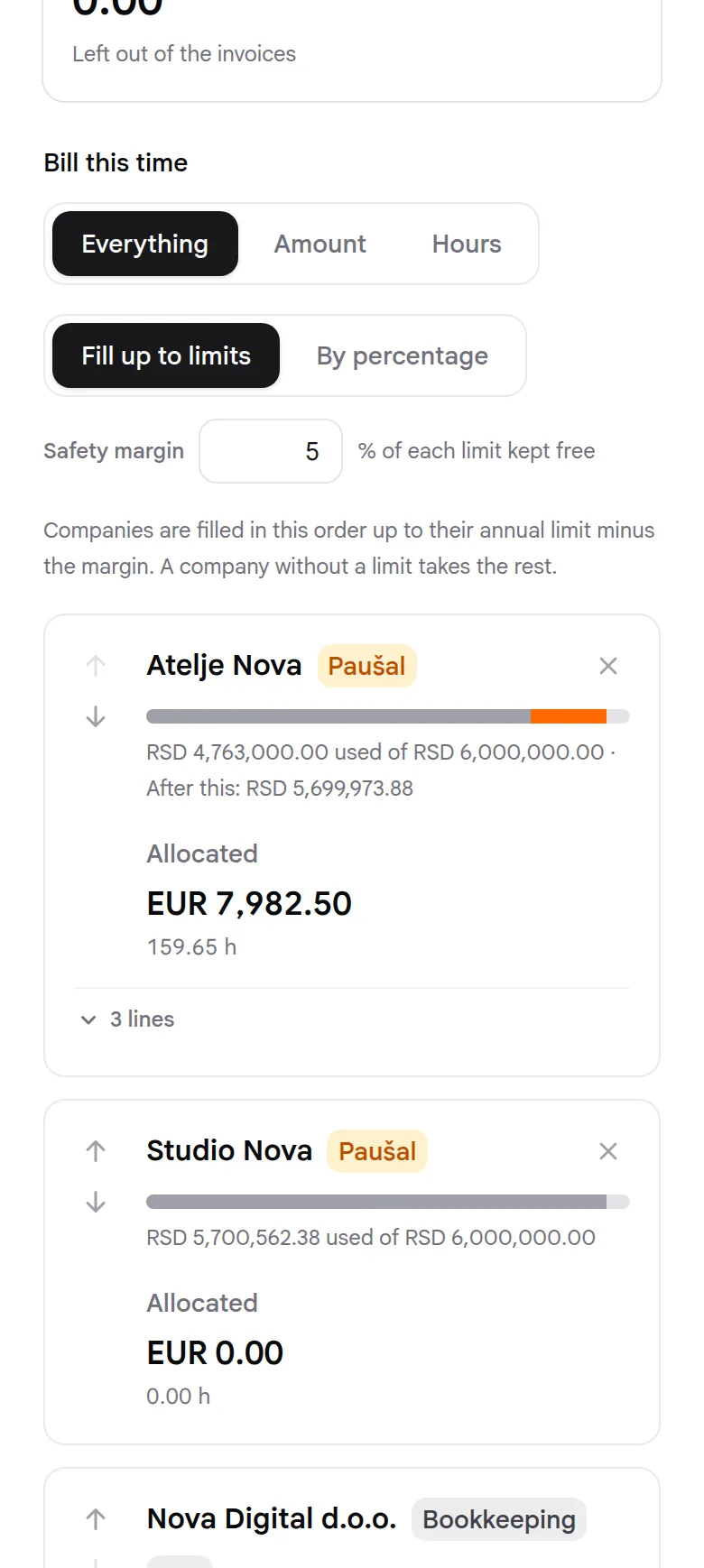
You pick a client, Deoba suggests which company invoices which work. What doesn't fit the agreed amount waits for next month.
-
30th
Invoices
One per company, numbered 01/2026 and on. Check, issue, and send it from the company's address.
-
31st
The accountant
Gets the bookkeeping copy and the KPO book. Record payments as they arrive.
Hours get logged as you go.
Start the timer when you begin and stop it when you finish, on a computer or a phone. Every entry goes to a client, project and task, so at month end it is clear what gets billed to whom.
- Timer or manual entry
- Forgot to start it? Correct the start time or add the hours later.
- Work, breaks and time off
- Breaks and time off are logged but never end up on an invoice.
- Month calendar
- A dot under a day means time was logged, so gaps show at once.
- Weekly hours
- Everyone sees how much they worked this week against their working hours.
- Unbilled this month
- The hours and the amount waiting to be allocated, right on the home page.
- Team reports
- Who worked how much, by client, project and day.
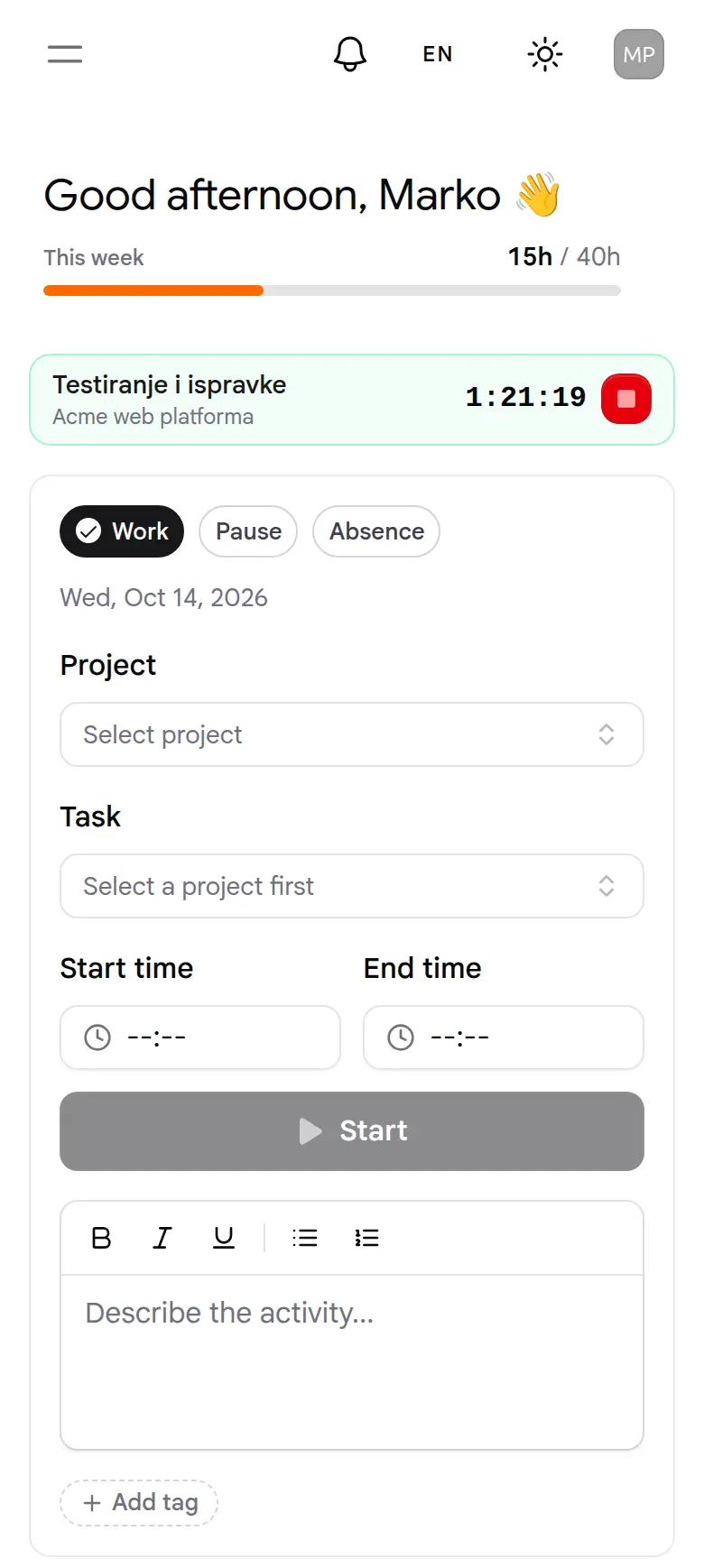

Here's what it looks like.
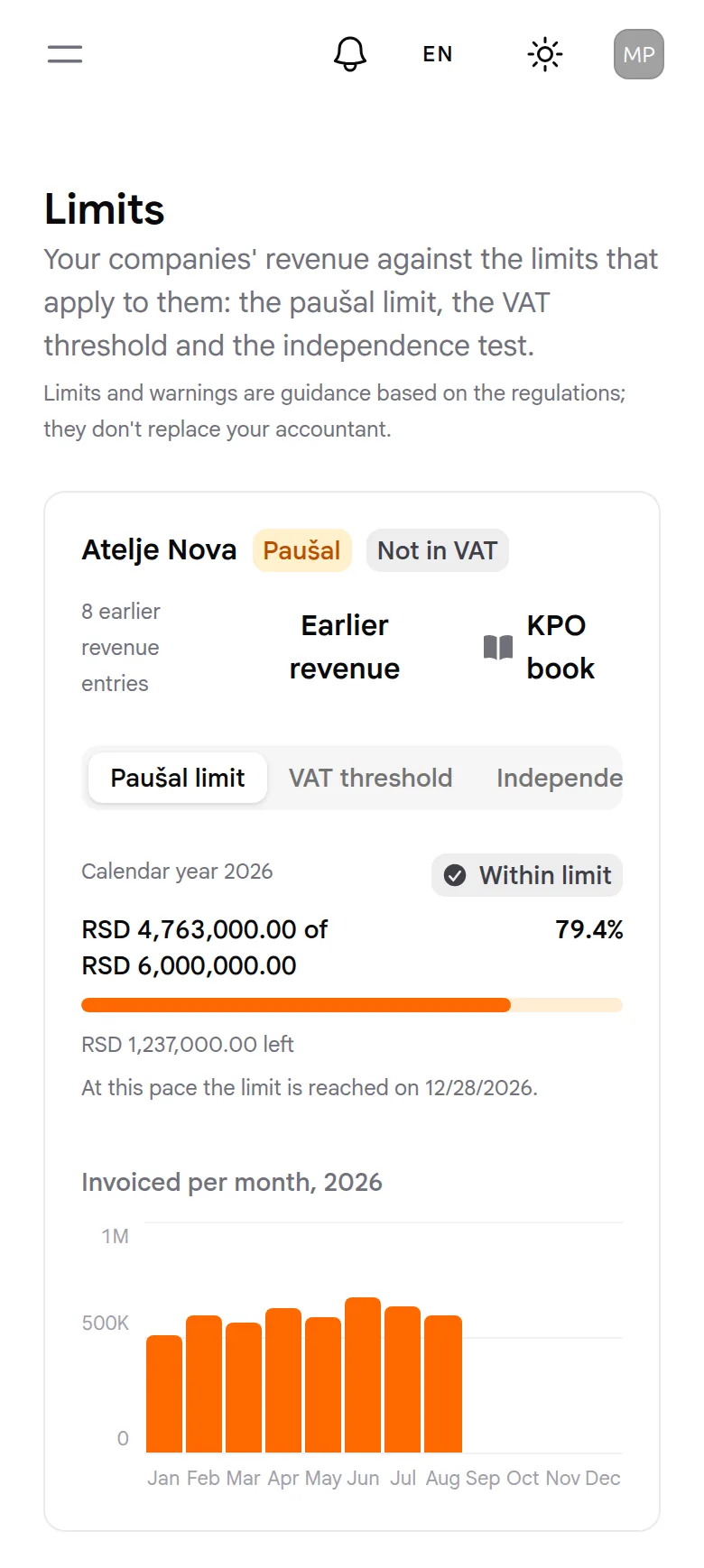
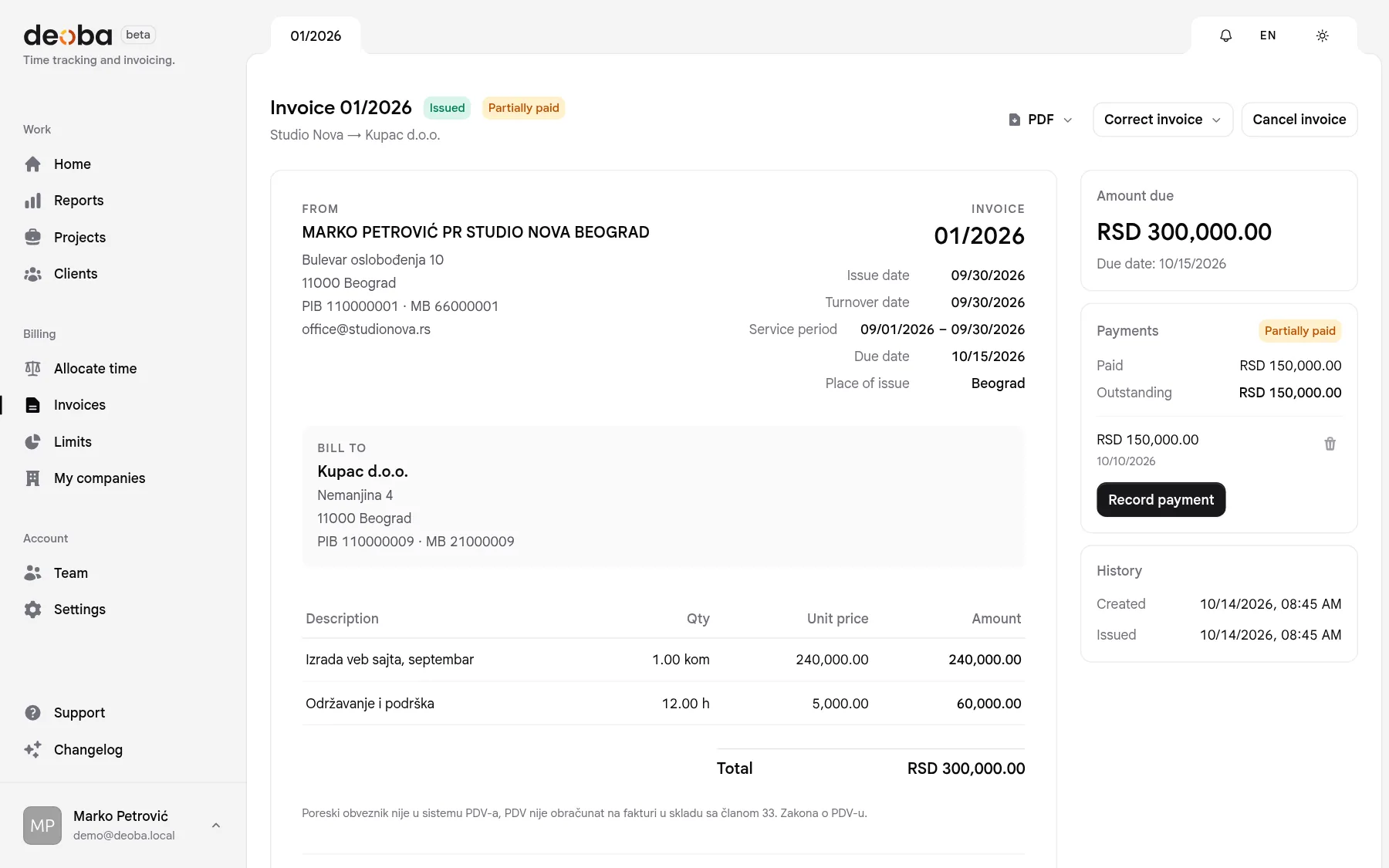
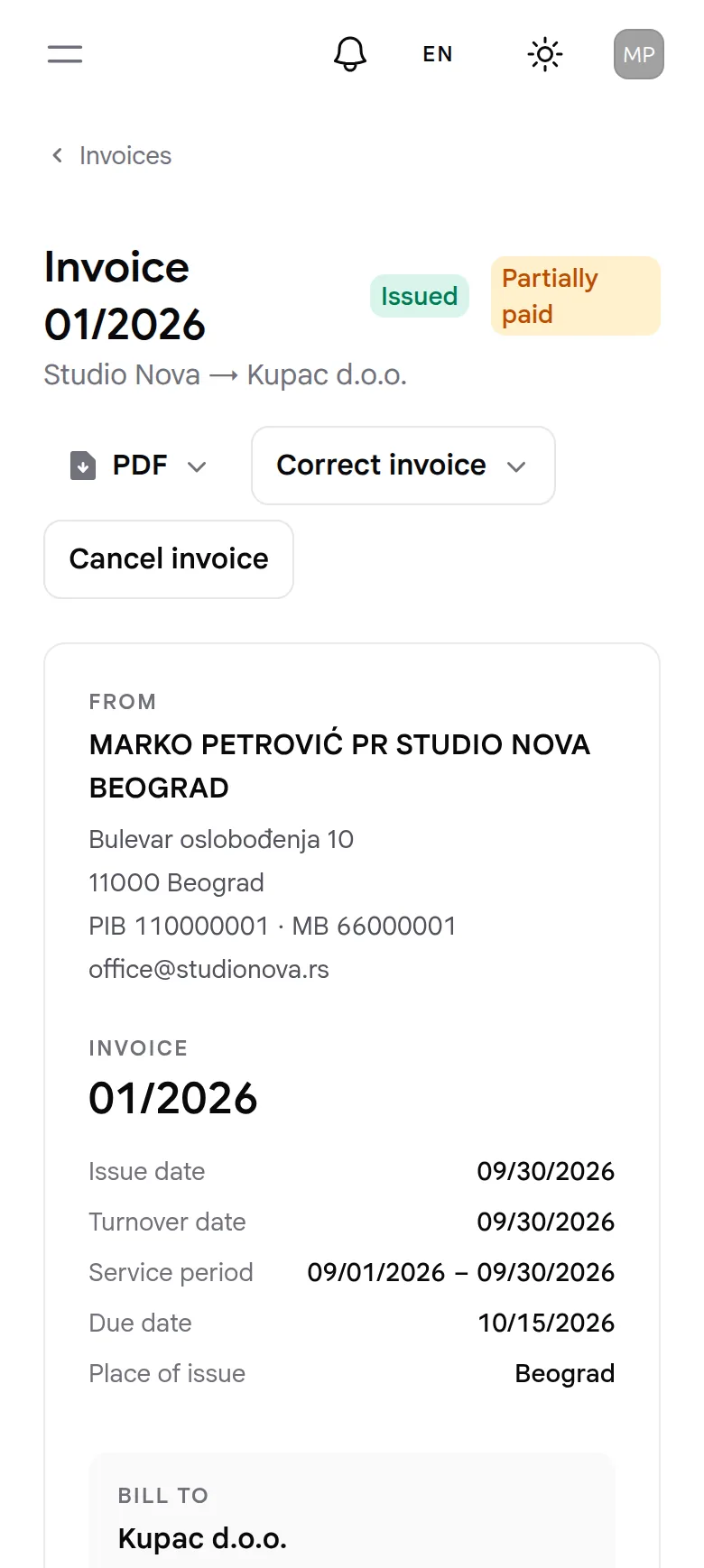
Real screens from the app, on a computer and on a phone. The companies and clients are made up; everything else works just like this.

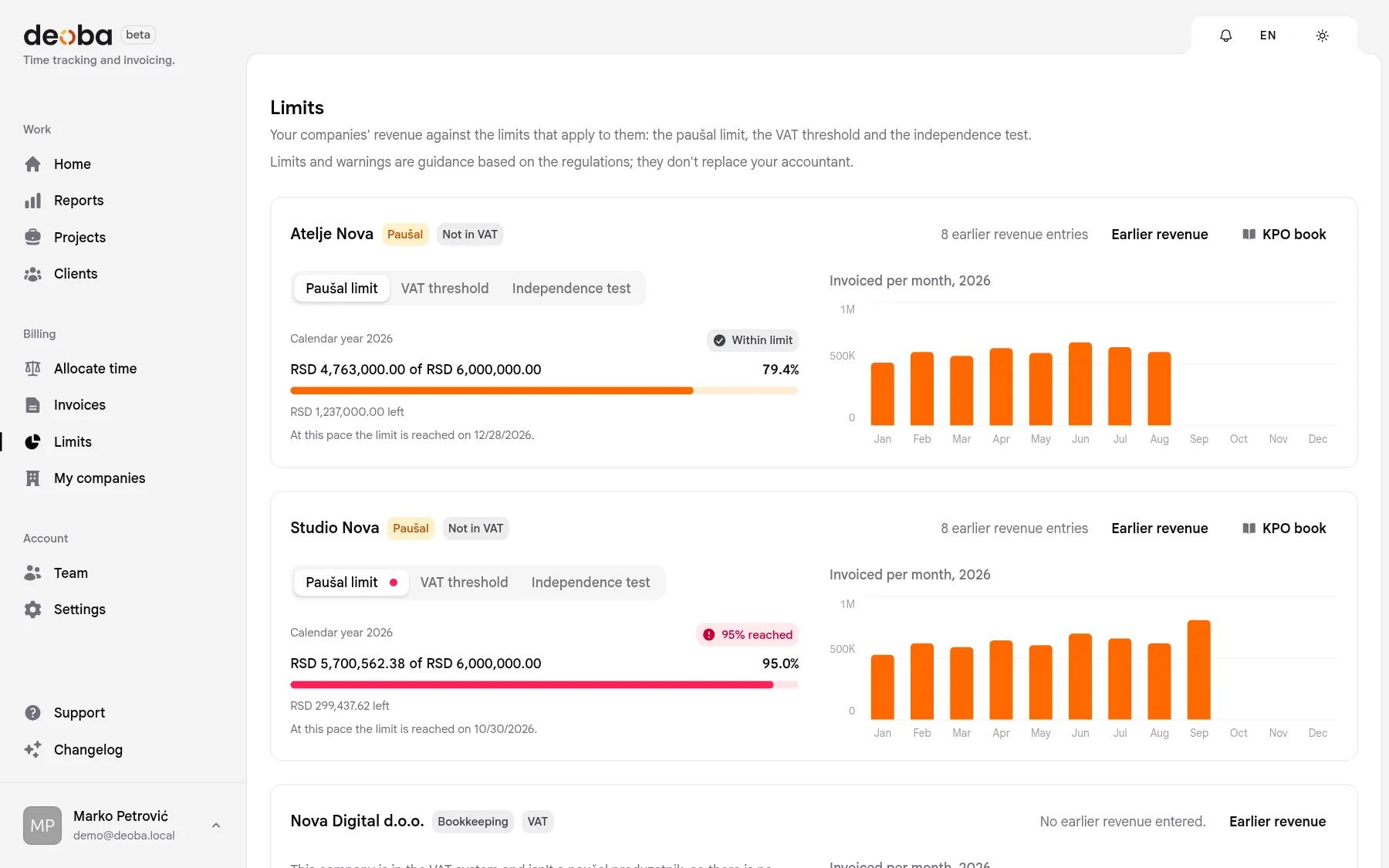
Numbers Deoba keeps an eye on for you.
- 6,000,000 RSD1
- The annual flat-rate limit, for each company. Warnings at 80, 90 and 95 % and an estimate of when you'll reach it, so you can plan the move to bookkeeping or an LLC in time.
- 8,000,000 RSD1
- The VAT registration threshold over the last 12 months, for companies outside the VAT system.
- 70 %1
- The largest client's share of a sole proprietor's revenue, for the independence test.
- 01/2026
- Invoice numbers without gaps, for each company separately, starting over every January.
Your accountant gets what they ask for.
Every invoice has two PDFs: one for the client, in their language, and one for bookkeeping, always with the NBS middle rate and the amount in dinars.
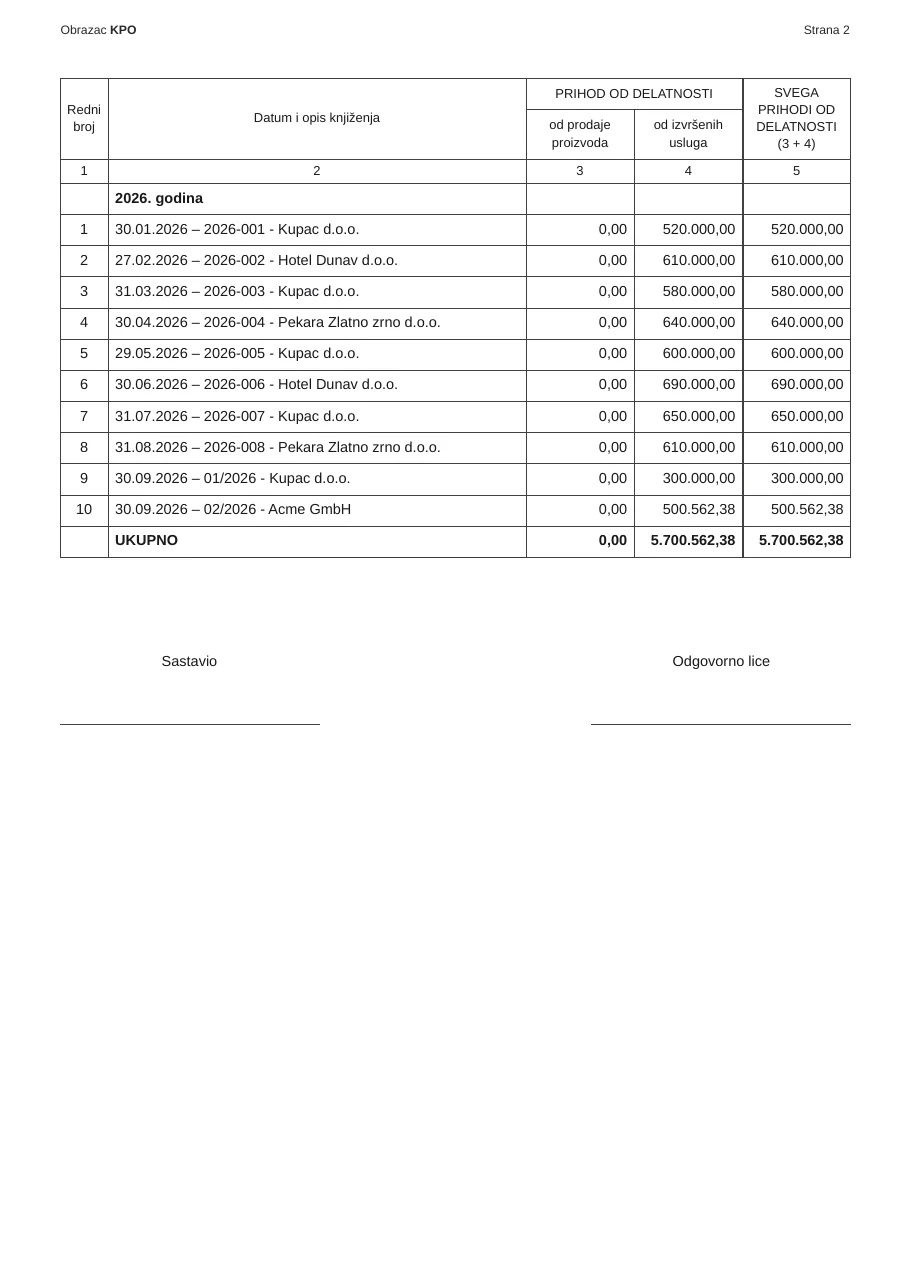
- The KPO book for flat-rate companies, as the PDF form
- Revenue invoiced outside Deoba counts toward limits and the KPO
- All your data in one click, as a ZIP
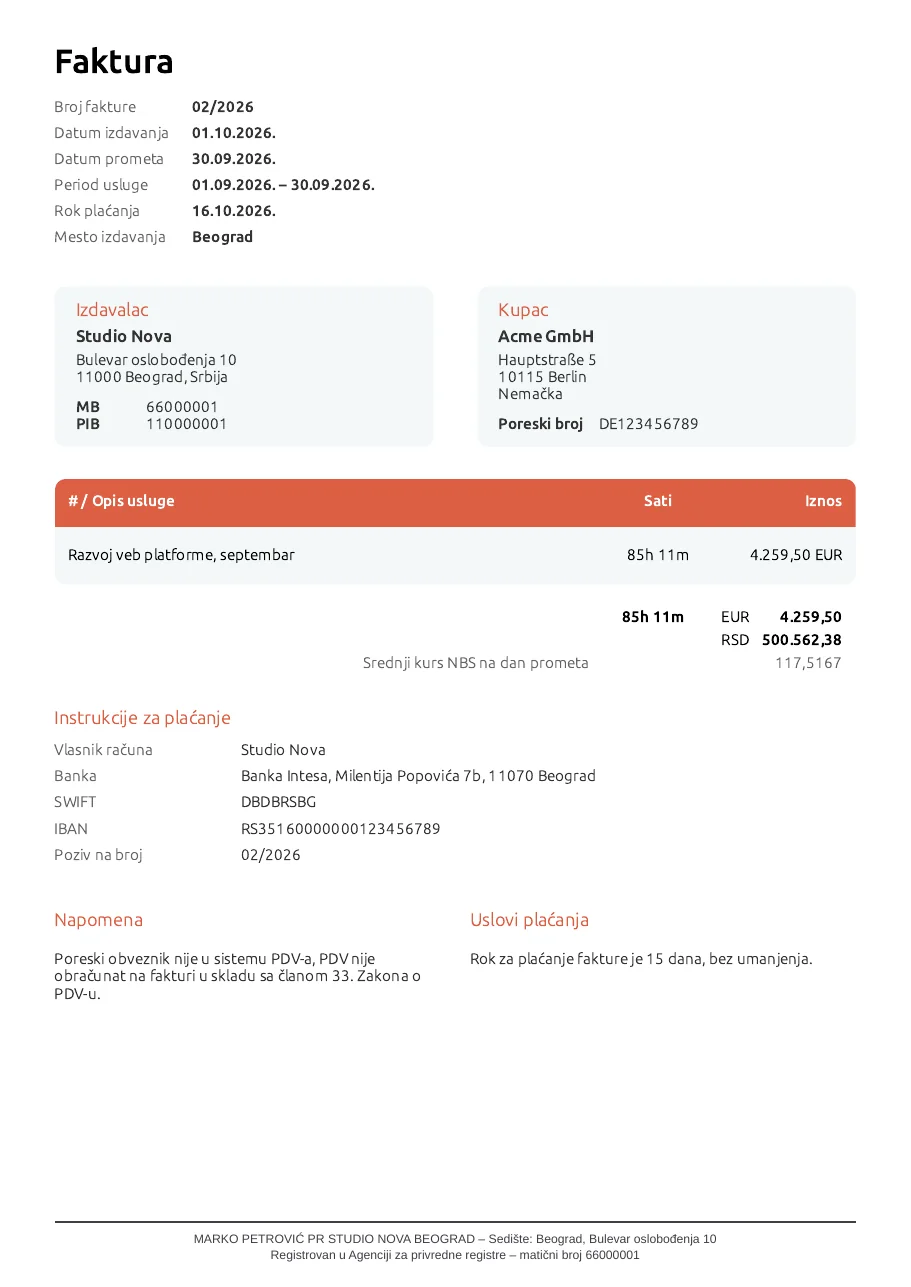
To SEF in one click.
When an e-invoice is required, Deoba sends it to SEF as soon as you issue it, with your company's API key, and the buyer gets it in their SEF inbox, with no email. Before sending, it checks that the buyer has an account. The same goes for advance invoices, credit and debit notes and cancellations.
| Domestic buyer | Public sector | Foreign client | |
|---|---|---|---|
| VAT payer | SEF the buyer gets it on SEF | SEF the buyer gets it on SEF | PDF you send the PDF |
| Paušal | PDF you send the PDF | SEF the buyer gets it on SEF | PDF you send the PDF |
SEF: Deoba sends the invoice and the buyer gets it on SEF, so no email is needed. PDF: you download it and send it from your company's address, as before.
Status from SEF
Sent Accepted Rejected CancelledRefreshed by itself every 15 minutes.
Questions before you sign up.
How much does it cost?
Nothing while the beta lasts. We'll announce paid plans at least 30 days ahead, and you can download your data whenever you like.
I only have one company. Do I need Deoba?
It works with one: time tracking, invoices, the limit and the KPO book. But it's built for the day a second company comes along.
How is the flat-rate limit counted?
By what's invoiced, not what's collected. An invoice counts in the year the work was done (the turnover date), a storno lowers the year it's made in, and foreign-currency invoices at the NBS middle rate on the turnover date.
Does Deoba send invoices to clients?
When the invoice goes to SEF, yes: the buyer gets it in their SEF inbox as soon as you issue it, with no email. Other invoices, no: you download the PDF and send it from your company's email address, so the client gets it from the company that issues it.
Some of this year's revenue was invoiced outside Deoba. What now?
Add the company's earlier revenue on the Limits page. It counts toward the limit, and with the invoice number and date it goes into the KPO book too.
Does Deoba send invoices to SEF?
Yes, when it's required: for VAT-registered companies invoicing domestic buyers, and for public-sector buyers. The invoice goes to SEF when you issue it, with your company's API key, and so do advance invoices, credit and debit notes and cancellations.
Honest about the beta.
What Deoba does today
- Time tracking
- Timer or manual entries for the whole team, with tags.
- Split across companies
- By limits or percentages, plus an agreed monthly amount.
- Invoices
- Two PDFs, for the client and for bookkeeping; foreign currency at the NBS middle rate.
- SEF
- Invoices, advances, credit and debit notes and cancellations.
- Payments
- Partial payments, what is owed and overdue invoices.
- Limits
- 6 million, the VAT threshold and the independence test, with warnings.
- KPO book
- Fills itself, with a PDF form for every year.
- Reports
- By client, project, person and day, as CSV and PDF.
- Team
- Roles and permissions, working hours for each member.
- Your data
- Export everything as a ZIP and delete the account whenever you like.
What it doesn't do
- It doesn't email invoices. On purpose: they come from your company's address or through SEF.
- It doesn't keep your books or replace your accountant.
- It doesn't keep VAT records or file tax returns.
- It doesn't charge anything for now. We'll announce prices 30 days ahead.